DisplayCAL
Explore our review of DisplayCAL, the open-source display calibration tool for Linux. Learn how it delivers precise color accuracy for creatives.
Achieving perfect color representation on your monitor can feel like chasing a moving target, but the DisplayCAL display calibration tool offers Linux users an incredibly robust, professional-grade solution to this common headache. Rather than relying on default factory profiles that shift over time, this advanced utility allows photographers, designers, and video editors to take absolute control over their visual output. By leveraging highly accurate measurement algorithms, it bridges the gap between raw digital files and true-to-life screen rendering.
Why DisplayCAL Display Calibration Changes the Game
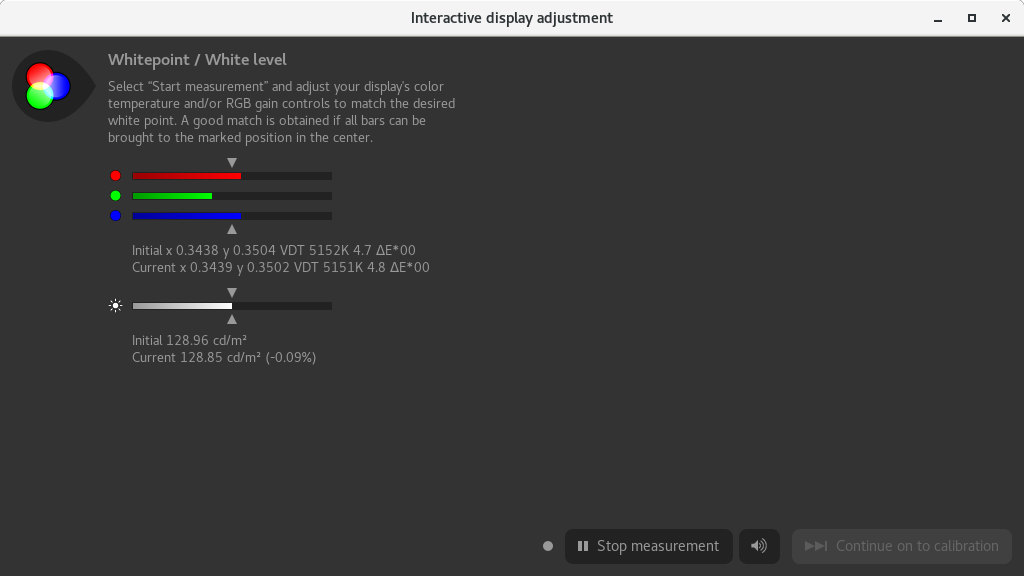
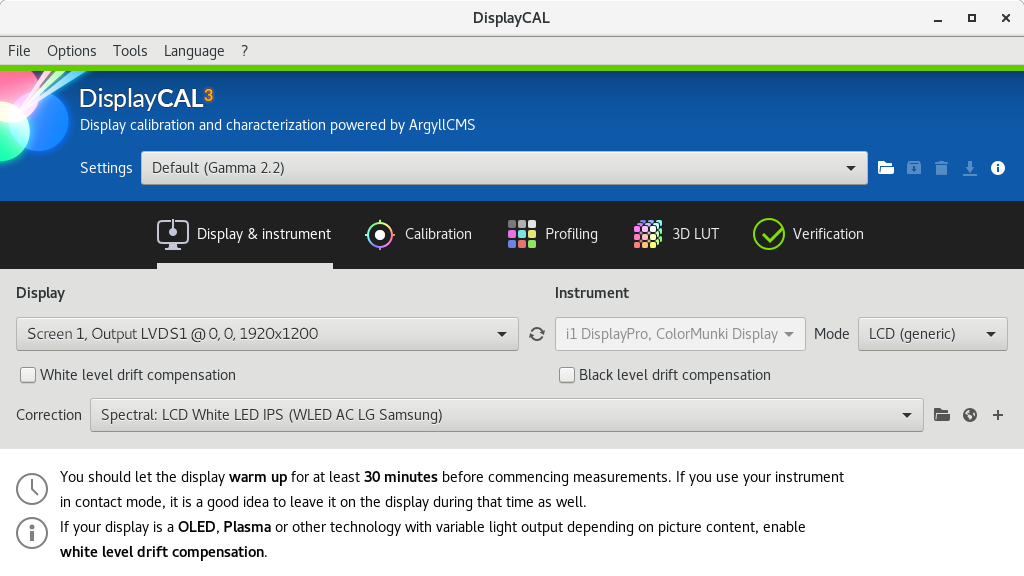
At its core, this software is designed to work alongside physical colorimeters and spectrophotometers to analyze your screen's current output and generate highly precise ICC profiles. What sets it apart is its extreme depth of customization. It does not just offer a simple one-click fix; instead, it provides a sophisticated suite of calibration settings that adapt to your specific ambient lighting and project requirements.
Key Features for Creative Professionals
- Multi-Display Configurations: Easily calibrate and match multiple monitors side-by-side to ensure seamless color continuity across your entire workspace.
- Advanced Verification & Reporting: Generate detailed analytical reports to evaluate the quality of your newly created ICC profiles and check your display's hardware consistency.
- Video 3D LUT Generation: Create highly accurate 3D lookup tables (LUTs) for grading workflows in professional video editing suites.
- CIECAM02 Gamut Mapping: Utilize advanced color appearance models to account for varying viewing conditions in your studio or office environment.
Tailored for Advanced Linux Workflows
Developed by Florian Höch, Erkan Özgür Yılmaz, and Patrick Zwerschke, this utility is specifically optimized for the Linux ecosystem. It integrates smoothly into professional design, photography, and video editing pipelines. Whether you are prepping files for print or grading a short film, the degree of control offered ensures that what you see on your screen is exactly what your audience will see on theirs.
Final Verdict: Is It Right for You?
If you are serious about color fidelity, relying on uncalibrated screens is a massive risk. This utility removes the guesswork from your creative projects, offering industry-standard tools entirely for free. To elevate your color accuracy, head over to the official Flathub page to explore the application and integrate it into your Linux workstation.